Critical Issue: How to Break the Google Cloud MFA Login Loop

0. [Resolved] Outcome and Final Conclusion (Updated December 2025)
Regarding this issue, I have finally successfully logged in and resolved the problem. I would like to share the conclusion with those who visited this article facing similar circumstances.
Results of Support Consultation and Investigation
Initially, I requested an investigation through Billing Support to a specialized team. However, it took considerable time to coordinate the scope of responsibility between departments (Billing Team ⇄ Technical Team). Ultimately, I was informed that the "Technical Team could not investigate as it was outside their scope," and the case was closed with a suggestion to use the official community forums.
The 7-Day Waiting Period
However, immediately after the support interaction ended—approximately 7 days after the error first occurred—the situation improved after I refrained from any operations. The 2-Step Verification (2SV) process, which had previously blocked me with the "We couldn't verify it's you" error, successfully went through. I was then able to configure my security settings and log in to Google Cloud.
Based on the login history, the presumed factor for resolution is: "By refraining from login attempts for a certain period, the system's security lock was automatically lifted."
[Key Learnings]
- Prioritize Official Documentation Steps First, ensure you try the recovery procedures recommended by Google Account Help. This is the safest and most standard solution.
- Contact Billing Support (Emergency Only) Only consider consulting Billing Support (as introduced in this article) as an exceptional measure if you face time constraints, such as "being unable to stop billing for active resources" because you cannot access the admin console.
- The "One-Week" Total Wait If the error persists, repeated attempts out of frustration may risk extending the lock. We recommend refraining from all operations for at least 7 days before retrying from a device with a known login history.
<Below is the original article.>
1. Introduction
This article shares a common issue and its solution regarding the inability to log in to the Google Cloud management console following the mandatory Multi-Factor Authentication (MFA/2SV) enforcement that began in May 2025.
Upon attempting to log in after a long interval, I was prompted to set up MFA. However, an error occurred during the identity verification required for that setup, leading to a state where I could no longer proceed. For those using the Free Tier who may be struggling to find a way to contact support, I have summarized the process and steps that led to a resolution.
2. Environment & Prerequisites
The environment and account status when this issue occurred were as follows:
| Item | Details |
|---|---|
| Account Type | Personal Google Account (@gmail.com) |
| Plan | Google Cloud Free Tier / Individual |
| Trigger | MFA mandate enforcement starting May 13, 2025 |
| Status | Unable to log in (Cannot access management console) |
3. The Problem Encountered
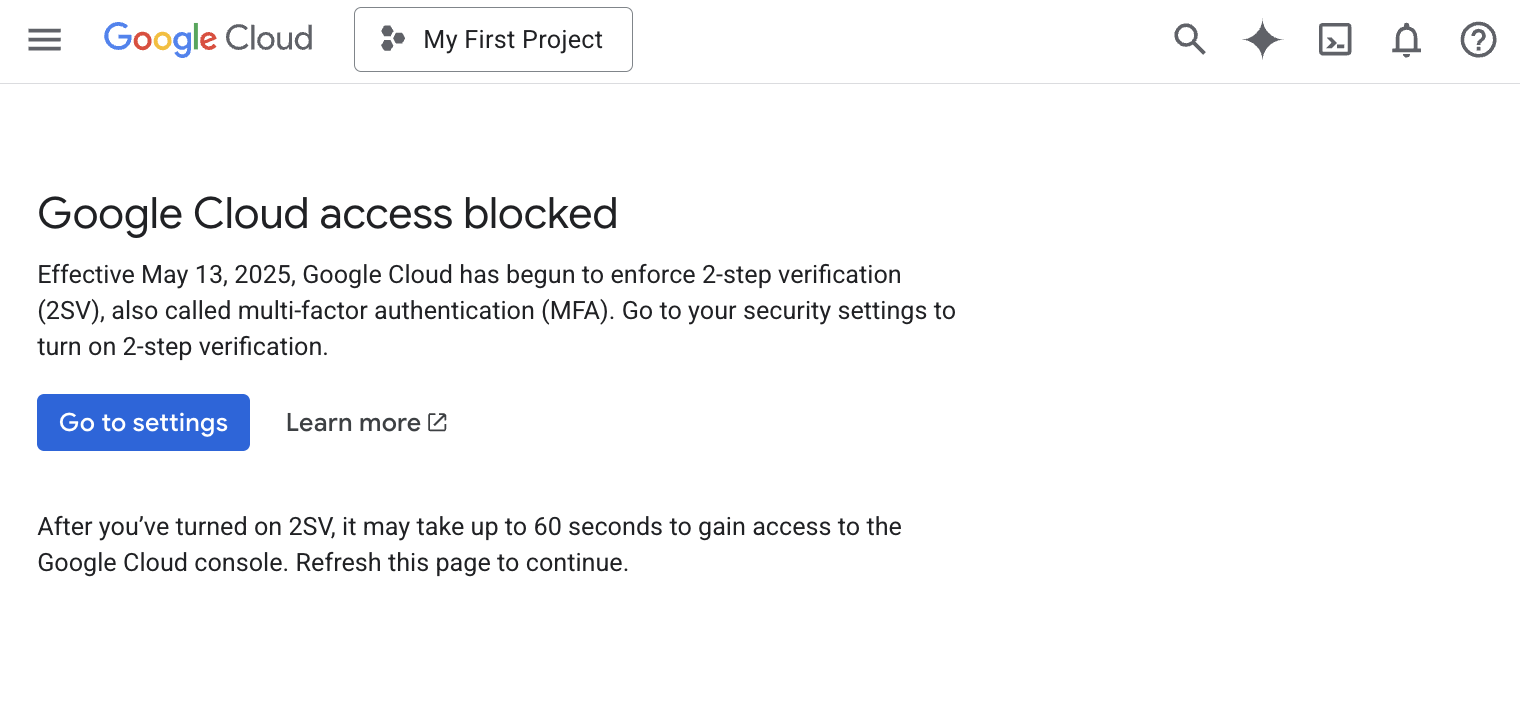
When I attempted to log in to manage Google Cloud resources, a warning appeared: "Starting May 13, 2025, 2-Step Verification (2SV/MFA) is mandatory for Google Cloud." I followed the instructions to proceed with the setup but became stuck in the following loop:
- Mandatory MFA: MFA setup is required to enter the Google Cloud Console.
- Identity Verification Required: Google requires identity verification to configure MFA.
- Information Mismatch: Verification codes could not be received because the registered recovery information was missing or outdated.
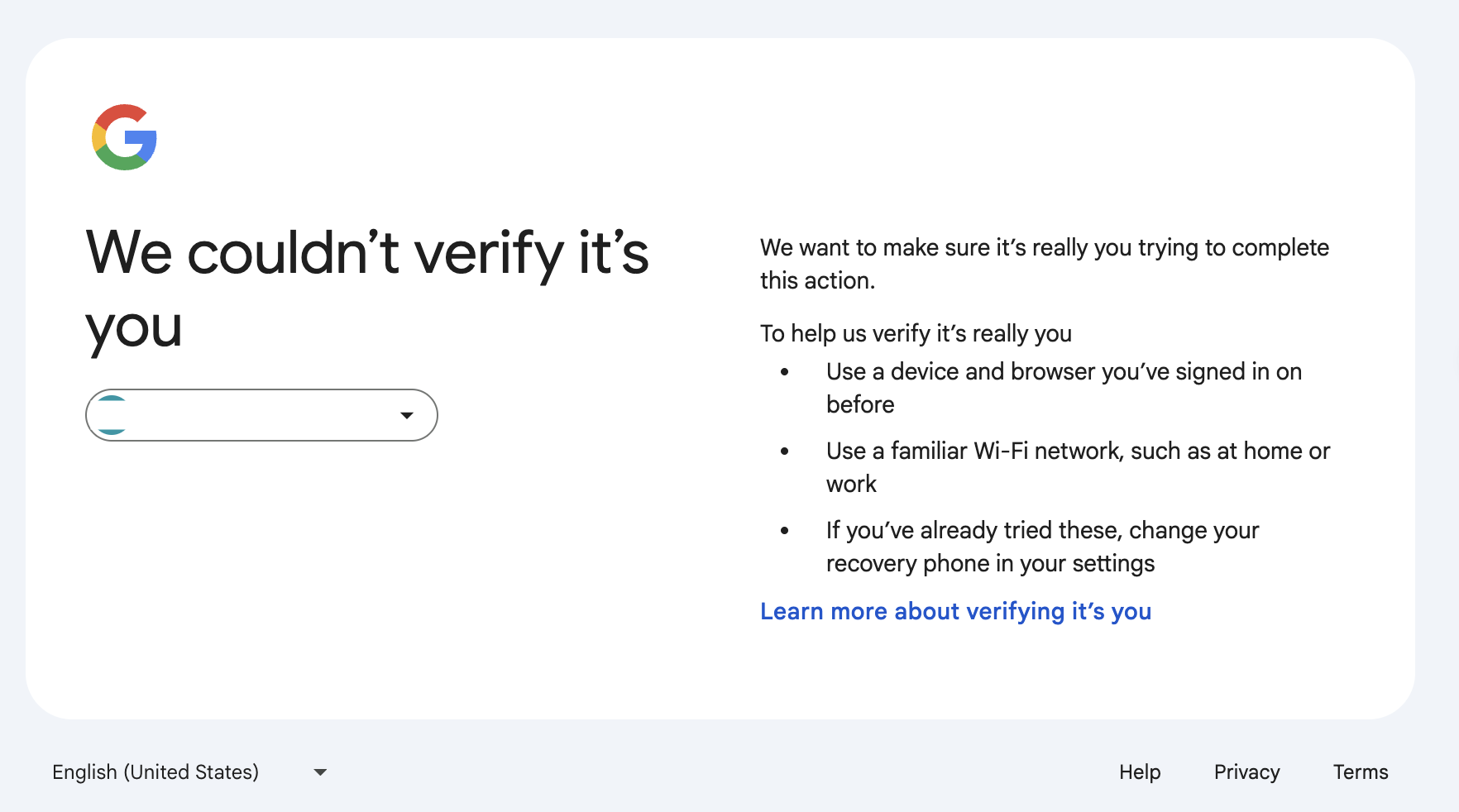
- Action Denied: When attempting to update information by entering the password, the message "We couldn't verify it's you" appeared, blocking further progress.
In short, I fell into a state where "I couldn't pass the authentication required to fix the authentication settings."
4. Actions Taken and Results
I explored several solutions and tried contacting support windows, but since I was a Free Tier user, I initially reached a dead end.
| Action Taken | Details | Result |
|---|---|---|
| Google Account Help | Checked the general Help Center and Community. | Primarily "self-help" focused; did not lead to individual account recovery. |
| Google Cloud Tech Support | Looked for a technical inquiry window. | Only available for paid plans (Standard and above). Cannot apply without console access. |
| Changing Device/Environment | Tried from a secondary PC, smartphone, and home Wi-Fi with login history. | The "We couldn't verify it's you" error persisted regardless of environment. |
| Registering Recovery Email | Attempted to register a recovery email address. | Registration was successful, but it did not bypass the error during MFA setup. |
5. Solution: Consulting Billing Support
The breakthrough came from consulting "Billing Support," which is available to all users (including those on the Free Tier). The key was switching from the automated chatbot to a human representative.
Steps to Resolution
I explained the situation and had a support ticket created using the following steps:
-
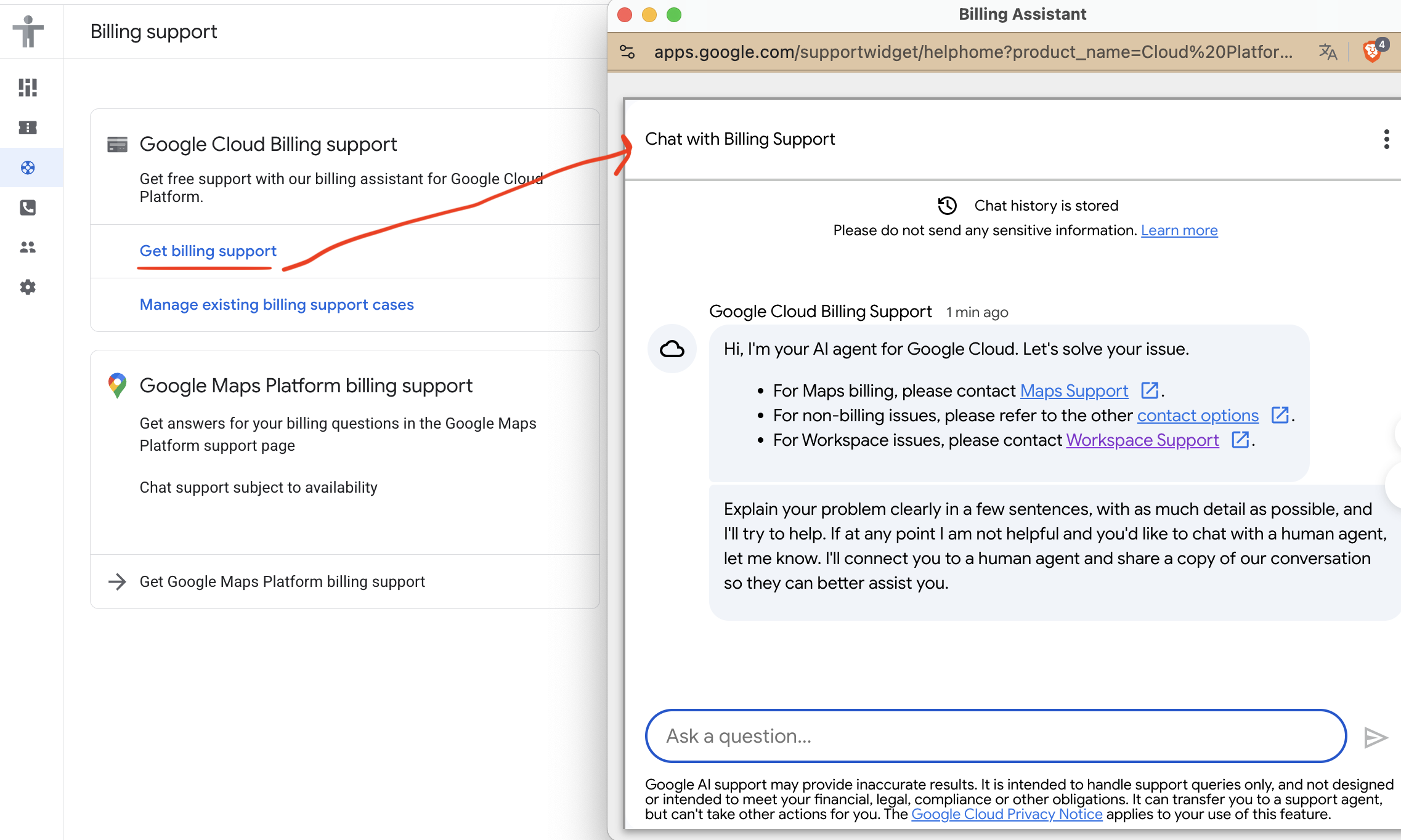
Access Billing Support Go to the Google Cloud Help page and navigate to the "Billing Support" contact chat.
-
Explain the Situation in Detail The chatbot initially tried to redirect me to "Google Workspace issues," but I clearly and politely explained the following:
- "This is a personal account, not a Workspace (corporate) account."
- "Because I cannot log in, I cannot perform operations to stop billing for active resources."
- "I request to speak with a representative rather than receive automated responses."
As a result, they agreed to create a support case via email.
-
Submit the Support Ticket In the email to the representative, I organized the current situation and the risks involved:
- Current Status: I can log in with a password, but the subsequent MFA setup fails.
- Steps to Reproduce: An exact description of where the error occurs (Go to settings > Password > Error).
- Attempted Fixes: Mentioned that I had already tried changing devices and other self-help methods.
- Urgency/Impact: Highlighted the risk of "unintended continuous billing" due to the inability to access the management console.
6. (Reference) Inquiry Template
This is a draft of the application content I submitted to support, which led to a smooth response. Please use this as a reference if you are in a similar situation.
Subject: Unable to access Management Console due to Identity Verification Error following Google Cloud MFA Mandate

1. Overview of the issue
Access is restricted due to the MFA mandate starting May 13, 2025.
During identity verification for MFA setup, the "We couldn't verify it's you" error occurs, making it impossible to change settings.

2. Steps where the problem occurs
Access Google Cloud Console > [Go to settings] > Enter password > Identity verification error occurs (Operation blocked).

3. Additional attempts made to resolve (All failed)
- Operation from a secondary PC with login history.
- Operation from a smartphone.
- Operation on a trusted network (Home/Work Wi-Fi).

4. Scope of Impact
- Unable to perform management operations (cannot stop resources or change settings).
- Continuous billing is occurring, but I cannot stop it because I cannot enter the management console.

5. Target Account Information
- Google Account: [USER_EMAIL]@example.com
- Owner Name: [USER_NAME]
(*Google Workspace is not used)


import ShareButtons from '@site/src/components/ShareButtons';
import GitHubStarLink from '@site/src/components/GitHubStarLink';

<ShareButtons />

<GitHubStarLink repo="hiroaki-com/hkdocs" />