[November 2026 Edition] How I Enrolled in the Apple Developer Program as an Organization Under My Trade Name as a Sole Proprietor in Japan, Without Exposing My Real Name or Personal Phone Number

When I got ready to ship an iOS app, I had to decide how to enroll in the Apple Developer Program. If you enroll as an individual, your real name appears as the seller on the App Store. At the same time, my business is nowhere near big enough to justify setting up a company.
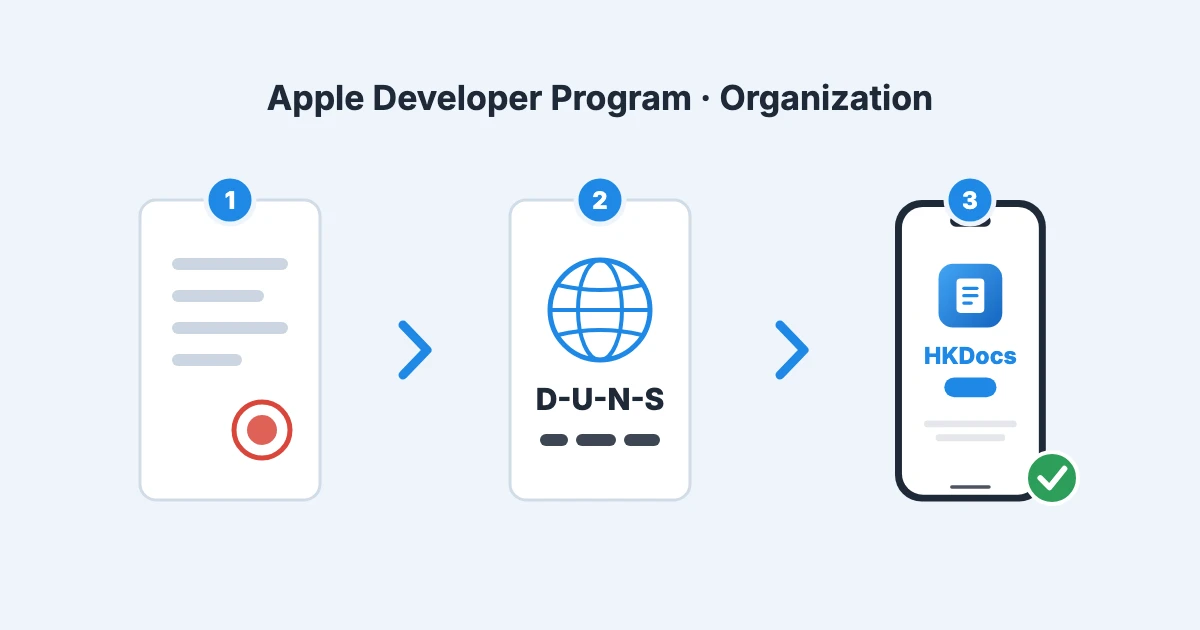
So I enrolled as an organization under my trade name as a sole proprietor, "HKDocs". I settled on the plan on September 18, 2026, and the membership became active as an organization on October 27. Along the way the enrollment stopped once with the error "Your organization is not listed as a legal entity", and contacting Apple Support got it moving again.
Apple's official pages say that sole proprietors should enroll as individuals and that trade names are not accepted for organization enrollment, so what I did falls outside that rule. Earlier articles on the same topic helped me a lot, so as an updated version of them, this article records the actual steps I took in September and October 2026, the costs, and where I got stuck and what I did about it.
- This article is written for people living and doing business in Japan. It relies on Japanese procedures and services: the business start notification filed with the tax office (kaigyō todoke), the disclosure rules of Japan's Act on Specified Commercial Transactions, the mobile plan povo, a Japanese virtual office, and Tokyo Shoko Research (TSR), which handles D-U-N-S verification in Japan. Requirements and steps differ in other countries.
- Enrolling as an organization under a trade name is outside Apple's official requirements. It worked for me, but there is no guarantee the same steps will work for you. The outcome can depend on who handles your case and when.
- Everything here is based on procedures I actually went through in September and October 2026. Prices and screens may change after that.
- For tax or legal decisions, check with the tax office or a professional as needed.
Conclusion
- I enrolled in the Apple Developer Program as an organization under my trade name while remaining a sole proprietor. In Membership details, the entity name is the trade name (as registered with D&B) and the entity type is "Organization".
- I needed five things: a business start notification that includes the trade name, a business address (a virtual office), a business phone number (povo), a website and email on the organization's domain, and a D-U-N-S Number.
- The web enrollment stops with a legal entity error once you enter the D-U-N-S Number. Waiting does not clear it, so I contacted Support and told them I was a sole proprietor, not a corporation. After their reply, I continued the enrollment and it went through.
- The first-year cost was about 23,000 yen (12,980 yen annual fee plus 10,450 yen for the virtual office). The business start notification and the D-U-N-S Number were free, and povo has no base fee.
- It took 33 days from filing the business start notification to activation, 9 of which were spent waiting for Support to reply.
Assumptions
- I am an unincorporated sole proprietor living in Japan.
- The three things I did not want to make public were my real name, my home address, and my personal phone number.
- The app is distributed only in Japan, not in the EU (the reason is explained below).
- This was my first time publishing an app on the App Store and my first time enrolling in the Apple Developer Program. I had no existing individual membership.
- It was also my first time filing a business start notification. I started the business for this enrollment (business start date: October 1, 2026).
Why an organization and not an individual
Apple's enrollment page says this about enrolling as an individual:
Your name will be displayed as the seller name of your apps on the App Store.
For organizations it says "Your organization's name will be displayed as the seller name of your apps on the App Store." The only way to keep my real name off the store was to enroll as an organization.
The other reason is the EU's Digital Services Act (DSA). For apps distributed in the EU, the address, phone number, and email of the "trader" are shown on the App Store. According to Apple's DSA guidance, for organizations the address registered with the D-U-N-S Number is displayed automatically, and the phone number and email are entered separately. Individuals enter the address themselves as well.
I do not distribute in the EU right now, so nothing is displayed. Still, so that my home address and personal number would not appear if I ever do, I used a virtual office for the D-U-N-S address and a business number for the phone. Even if you do not distribute in the EU, you are still asked to declare whether you are a trader.
Officially, a trade name cannot be used for organization enrollment
This is the most important part. Apple's official pages state clearly that trade names are not accepted for organization enrollment.
The "Legal entity name and status" section of the enrollment page says:
Your organization must be a legal entity that can enter into contracts with Apple. We do not accept DBAs, fictitious business names, trade names, or branches.
The D-U-N-S Number help page says the same thing when it explains the legal entity error:
The business you entered is either listed in the D&B database with a different legal status (such as a sole proprietorship), or its legal status has not been verified. [...] If your legal status is a sole proprietorship/single person business, enroll as an individual.
In other words, by the rules a sole proprietor enrolls as an individual, and the real name appears as the seller. A trade name does not count as a legal entity name.
On the other hand, there have been several reports in 2026 from sole proprietors in Japan who got through organization enrollment under a trade name. The common pattern was: the D-U-N-S Number is issued, Apple's automated check returns the legal entity error, you tell Support you are a sole proprietor, and the enrollment moves forward manually. My case followed almost the same pattern. I want to stress again that this is not a documented official exception.
Overall flow and actual dates
| Date (2026) | What I did | Notes |
|---|---|---|
| 9/18 | Decided on the plan (organization under the trade name; no real name, home address, or personal number) | — |
| 9/24 | Filed the business start notification at the tax office counter. Applied for a virtual office | Business start date 10/1 |
| 9/25 | Signed the virtual office contract and received the contract document | Address usable from 10/1 |
| 9/27–28 | Set up the organization's email so I could reply from it | Incoming forwarding was already set up |
| 9/29 | Applied for povo | — |
| 10/1 | Business start date. Updated the site's Specified Commercial Transactions Act disclosure and other pages to the trade name | — |
| 10/6 | povo activated. Checked outgoing and incoming calls and SMS | About 1 week after applying, due to a mix-up in mailing the SIM |
| 10/9 | Created the business Apple Account. Made a copy of the business start notification with the personal number hidden. Requested a D-U-N-S Number | — |
| 10/13 | Verification email from Tokyo Shoko Research (TSR). Replied the same day | Reply due 2 days later |
| 10/16 | D-U-N-S Number issued | 4 business days after the request |
| 10/17 | Enrolled as an organization → stopped by the legal entity error → emailed Support | — |
| 10/26 | Support replied. Continued the enrollment and submitted it | 9 days after contacting Support |
| 10/27 | Acceptance email → agreed to the agreement → paid the annual fee → activated the same day | — |
The order matters. Request the D-U-N-S Number only once the address and phone number are usable. Under the contract, the virtual office address becomes usable on the start date. I also finished activating povo and checking incoming calls first, so I would not miss a call from TSR on the business number.
Costs
| Item | Cost | Notes |
|---|---|---|
| Apple Developer Program | 12,980 yen/year (tax included) | Officially 99 USD per year. Shown in yen in Japan |
| Virtual office (METS Net Shop plan) | 10,450 yen the first year, 6,600 yen from the second year | 12 months paid up front. Includes the sign-up fee |
| povo (povo2.0) | No base fee | Service may be suspended if you buy no top-up for 180 days |
| D-U-N-S Number | Free | Free when requested through Apple |
| Business start notification | Free | — |
| Domain, website, email | Used what I already had | A new domain would cost extra |
1. Decide up front which number and address go where
There are many procedures, so I first made a table of what to write on each application. Without it, you can end up with your personal number on one application and your business number on another.
| Where | Address | Phone number | |
|---|---|---|---|
| Business start notification (tax office) | Home | Personal | — |
| D-U-N-S (D&B / TSR) | Virtual office | Business (povo) | Organization domain |
| Apple Developer organization details | Virtual office (exactly as D&B lists it) | Business (povo) | Organization domain |
| Site's Specified Commercial Transactions Act disclosure | City or ward only (full address disclosed on request) | Not listed (disclosed on request) | Organization domain |
There is one rule: use business information in any field that may be made public or passed to third parties.
The same rule applies beyond Apple. For example, the payment service Stripe requires a support phone number for Japanese accounts, and it may be shown to customers. I switched that to the business number too. It is worth reviewing the phone number fields of the services you have already signed up for.
I wrote my personal number on the business start notification because notifications filed with the tax office are not made public. As explained later, though, you may have to submit a copy of it to other companies. When you do, hide the number.
Conversely, I do not treat the business number as strictly private. D&B and TSR provide company information to third parties, and under the Specified Commercial Transactions Act I disclose it on request. The business number is meant to be a number that is fine to have out there.
2. A business phone number (povo)
I used povo2.0, a Japanese mobile plan with no base fee. The physical SIM is in a secondary iPhone that I use for business.
- Create an account in the povo2.0 app and apply for a new line (identity verification via eKYC).
- When the SIM arrives, activate it from the app.
- Check outgoing calls, incoming calls, and SMS.
On delivery time, povo's FAQ (in Japanese) says the SIM can arrive as early as the next day if you apply in the morning, and that shipping may take a few days depending on the delivery area and shipping conditions. In zawascript's article (in Japanese), the SIM also arrived the day after applying.
In my case there was a mix-up in mailing the SIM, and it took about a week, from applying on 9/29 to activation on 10/6. Normally it should take only a few days, but the D-U-N-S request has to wait until activation and the incoming-call check are done, so it is safer to apply early.
The thing to watch is keeping the line alive. As the important matters explanation (in Japanese) states, if you go 180 days without buying a top-up or similar, the line may be suspended or the contract terminated. If the number stops working, you can no longer receive calls from Apple or D&B, so I plan to buy the cheapest top-up regularly.
3. A business address (virtual office)
I signed up for a virtual office to use as the address for D-U-N-S and the Apple organization details. After comparing several, I chose the Net Shop plan of METS Virtual Office.
This comparison reflects what I found in September 2026 while prioritizing value for money, and what I judged suitable for my use. I am not recommending any particular service; I include it to share the current situation. Requirements such as mail forwarding, how the address may be used, and price differ from person to person, so choose a service that fits your own requirements at the time.
| Option (as of 2026-09-24) | First year / from second year | Usable for this purpose? |
|---|---|---|
| METS Light | 7,090 yen / 3,240 yen | METS's official article (in Japanese) states it "cannot be used" for Google Play or D-U-N-S registration |
| METS Net Shop (the plan I chose) | 10,450 yen / 6,600 yen | The same article names it as the cheapest plan that supports app publishing and D-U-N-S |
| GMO Office Support, no forwarding | About 10,890 yen / 11,880 yen | No rule prohibiting it. A price increase is planned for January 2027 |
| DMM Virtual Office Minimum | 13,420 yen / 7,920 yen | Limited places where the address may be listed (on the web, only the Specified Commercial Transactions Act disclosure, etc.) |
What I learned is that the cheapest plan often cannot be used. Judging from the price list alone, a cheap plan looks like enough, but many virtual offices define in their terms how the address may be used for each plan. Using it outside those uses can get the contract terminated. Some plans, like METS Light here, are explicitly marked by the operator as unusable for D-U-N-S or store registration because they do not support receiving mail. I recommend reading the usage clauses in the terms and the operator's official guidance before choosing.
In the "purpose of use" field of the application form, I wrote plainly that I would use the address for the Specified Commercial Transactions Act disclosure, D-U-N-S, and as the seller address on the App Store and Google Play.
After signing, there are two clauses I keep in mind:
- If I cannot be reached at the registered contact details for a while, that is grounds for suspending the membership (3 days or more for METS). I keep the registered phone and email reachable at all times.
- Only mail addressed exactly to the registered name is accepted. Since I registered under the trade name, mail sent there also has to be addressed to the trade name.
I kept my home as the address on the business start notification
I listed my home, where I actually work, as both the tax location and the place of business on the business start notification. There is no obligation to register the virtual office address as a place of business.
Because I requested the D-U-N-S Number with the virtual office address, the addresses on the business start notification and D-U-N-S differ. I was ready to file an additional place-of-business notification if anyone asked about the mismatch, but in the end neither TSR nor Apple did.
4. File the business start notification with the trade name
I created the business start notification with an online form service and submitted it at the tax office counter. Most of the content is standard; only two points matter for Apple enrollment:
- Always fill in the trade name field. The D-U-N-S request is made under the trade name, and TSR asks for a document showing it. A notification without a trade name does not back up the name.
- I wrote my personal number in the phone number field, because notifications filed with the tax office are not made public. How to handle the copy when submitting it to other companies is covered next.
No receipt stamp
Since January 2025, tax offices in Japan no longer stamp the receipt date on filers' copies of returns and notifications (National Tax Agency notice, in Japanese). I did not get a stamp at the counter either. Keep your own record of the filing date. If you file via e-Tax, the receipt notice shows the date and time it was received.
Hide the personal number on the copy
This is one of the places where the rules and reality differ. Apple's D-U-N-S help asks you to have your business registration documents ready for D&B's verification; the Japanese version gives a certificate of corporate registration as the example. Sole proprietors have no corporate registration, so the copy of the business start notification is what you can provide.
That copy has my personal number on it. Submitting it as is would hand a number I had only given the tax office to D&B's side. So I made a separate PDF of the copy with the phone number blacked out in macOS Preview, and confirmed that the hidden text cannot be recovered by copying. I did not hide my home address or name, since the verification also serves to confirm who I am.
5. Prepare a website and email on the organization's domain
Apple's enrollment page sets these conditions for the organization's website and email:
- Your work email address must be associated with your organization's domain name.
- Your organization's website must be publicly available and functional, and its domain name must be associated with your organization. Social media pages, sites with minimal content, and domain registrar placeholder pages are not accepted.
Website
I used my existing site, hkdocs.com, as the organization's website. What I added was information about the business:
- Set the seller in the Specified Commercial Transactions Act disclosure to the trade name (sole proprietor).
- Listed the business activities (developing and selling software, operating web services and apps) and the products I run.
- Listed the organization-domain email address as the contact.
The disclosure lists the location only down to the city or ward, with details disclosed on request. Under the Specified Commercial Transactions Act, you can omit the address and phone number if you state that you will provide them without delay on request and are actually set up to do so (see the Consumer Affairs Agency's guide to mail-order sales, in Japanese). The same reason is why the phone number is not listed. Neither the D-U-N-S request nor the Apple enrollment asked whether the disclosure's address matched the address on the application.
Email and Apple Account
- Email: I set up one address on the organization's domain (something like
info@<organization domain>). Incoming forwarding alone is enough if you only need to receive messages from Apple and TSR. But replying to TSR's verification and to Support from the same address keeps things simpler, so I recommend making it able to send as well. - Apple Account: I created a new one with the organization-domain email, separate from my personal account. Apple recommends using an organization email address. The name on it is my full legal name, exactly as on my ID.
6. Get a D-U-N-S Number
The D-U-N-S Number is a 9-digit number that D&B (Dun & Bradstreet) assigns to businesses. In Japan, verification is handled by Tokyo Shoko Research (TSR). From Apple's D-U-N-S lookup page, you can confirm that you do not have a number and then request one for free.
The request
The form accepts only half-width alphanumeric characters, so the name, address, and contact name are all entered in romanized form. The content follows the table decided at the start.
- Name: the trade name (without a legal form such as "LLC").
- Address: the virtual office address. If there is no official English version, romanize the address on the contract.
- Contact: myself. Name romanized exactly as on my ID; title "Owner".
- Contact details: the organization-domain email and the business phone number (povo).
Verification from TSR
D&B's acknowledgment email arrived the same day I made the request (10/9), and a verification email from TSR came on 10/13. It asked six questions about the business and for a document showing the trade name, with a reply due two days later. Because the deadline is short, keep a close eye on the organization-domain inbox after you make the request.
I replied the same day from the organization-domain email:
- I answered the questions truthfully so that nothing contradicted the business start notification.
- I asked them to register the virtual office address as the location.
- The only document I attached was the copy of the business start notification with the personal number blacked out.
The verification email was written in both Japanese and English, and in the English part the phone number with the country code was garbled into a US-style format. The Japanese part was correct, so I went ahead without worrying about it, and there was no problem.
The number was issued on 10/16, 4 business days after the request and within the "up to 5 business days" in Apple's guidance. Apple checks the organization's details against D&B's data, so in the Apple enrollment that followed, I entered everything to match the D&B record shown in the issuance notice.
7. Enroll in the Apple Developer Program as an organization
Enroll on the web
I enrolled through the web enrollment page, not the Apple Developer app. zawascript's article (in Japanese) described enrolling from the app, getting stuck on an error to the effect that the D-U-N-S Number did not match the profile information, and being told by Support to enroll on the web.
The first attempt stopped with the legal entity error
On 10/17 I started enrolling with the business Apple Account.
- Enter your personal details (legal name as on your ID and home address, romanized; phone is povo). These are the Account Holder's details and are not shown as the seller.
- Choose "Company / Organization" as the entity type.
- Enter the trade name exactly as D&B lists it (without a legal form such as "LLC") as the legal entity name, and the D-U-N-S Number.
At this point the error appeared (in the Japanese UI it reads roughly "We could not confirm that this organization is a legal entity"; Apple's English help calls it "Your organization is not listed as a legal entity"), and I could not go further.
The D-U-N-S Number had been issued the day before (10/16), and Apple's guidance says it takes up to 2 business days for Apple to receive the information from D&B. But this error is not about that delay. As quoted earlier, it means the business is listed in D&B as a sole proprietorship, and it does not go away with time. So I contacted Support the same day.
Contacting Support
From Apple Developer Contact Us, I went to "Membership and Account" → "Program Enrollment" and wrote by email. I included the following:
- I am not a corporation but a sole proprietor who has filed a business start notification.
- I understand that the rule is for sole proprietors to enroll as individuals.
- I would like to enroll as an organization under my trade name so that my real name and home address are not shown as the seller.
- My D-U-N-S Number, business activities, website, and email address, and that I can provide a copy of the business start notification or take a phone call in Japanese if needed.
- If I need to switch to individual enrollment, I would like to discuss it before anything is changed.
I could have hidden that I am a sole proprietor and simply said "we are an organization", but I did not. D&B's record shows it anyway, and being seen as having made a false declaration if it came out later seemed riskier. On the other hand, I did not mention that the address is a virtual office. What Apple checks is legal entity status, not the nature of the address, so I planned to answer truthfully if asked.
I added the last point so that I would not just be told "please enroll as an individual" and end up enrolled under my real name.
I had time to spare, so out of consideration for Support's workload I did not call and waited for an email reply instead. The reply took 9 days.
tomlife43's article (in Japanese), on the other hand, describes submitting an inquiry on the web to get a case number and then calling, and being helped right away on the phone in Japanese. If you are short on time, that approach may be useful.
The reply 9 days later, and the second attempt
Support replied on 10/26. In short: "We have reviewed your D-U-N-S information. Please continue enrolling on the web and make sure the company name and address match D&B." They did not ask me to switch to individual enrollment.
When I resumed on the web as instructed, the legal entity error did not appear this time, and I could move on to the organization details.
- Signing authority: I selected "Owner/Founder".
- Work email: the organization-domain email. Enter the verification code sent to it.
- Phone number: the povo number.
- Address: entered exactly as D&B lists it.
After submitting, a screen saying the enrollment was being processed appeared, and that was it for the day.
Acceptance, agreement, and payment
The next day, 10/27, an acceptance email about the organization enrollment arrived. From there I agreed to the license agreement on the web and paid the annual fee.
- No phone call or email came to confirm my signing authority (Apple says it verifies the organization's information during enrollment).
- Nothing up to the payment screen showed the organization name or entity type. You can only check that the name is right after activation.
- The payment was 12,980 yen (including 1,180 yen consumption tax). No 3-D Secure card authentication was requested.
- After paying, an Apple Store order confirmation email arrives. It is a receipt for the order, not a notice that the membership is active.
The same day, two welcome emails arrived from Apple Developer and the membership became active.
Activation sometimes does not happen even after payment: zawascript's article describes the payment status never completing and having to enroll again. If no welcome email had arrived within a day of paying, I planned to contact Support with the enrollment ID and the order number.
What I checked after activation
- Membership details: the entity name is the trade name as D&B lists it, and the entity type is "Organization". My own name also appears as the Account Holder, but that is only shown inside the account.
- Agreement name: the agreement PDF available under "Business" in App Store Connect is also in the trade name.
- App Store Connect developer name: set when you add your first app, and it cannot be changed later. I used the trade name.
- If you change the organization name: it is used as the seller name for all your apps. To change it, you submit a request through the form for updating company information. The change applies to all apps and cannot be undone, so it is not something to change lightly.
If you are already enrolled as an individual
I started without an individual membership, so I have not gone through this. If you are already enrolled as an individual and want to switch to your trade name later, tomlife43's article (in Japanese) covers it in detail. According to it, you need a D-U-N-S Number before asking Support, and the following two had to be requested separately:
- Change the membership type from individual to organization.
- Change the developer name of already-published apps to the trade name.
With only the first, published apps reportedly keep showing the real name. If you are enrolling for the first time, enrolling as an organization from the start avoids this two-step request.
The rules vs. what actually happened (overview)
| Item | Official rule | What actually happened |
|---|---|---|
| Sole proprietor enrollment | Enroll as an individual. Organization enrollment under a trade name is not accepted | Told Support I was a sole proprietor, and was able to enroll as an organization (not guaranteed) |
| Legal entity error | Means the business is listed in D&B as a sole proprietorship, among other things | Does not go away with time; contact Support as soon as it appears |
| Contacting Support | — | 9 days by email. Others were helped right away by phone |
| How to enroll | — | Enrolled on the web, not in the app |
| D-U-N-S issuance | Up to 5 business days | 4 business days (with a public holiday in between) |
| TSR verification | You may be contacted for verification | Six questions and a document by email, reply due in 2 days |
| Documents for D&B verification | Business registration documents (certificate of corporate registration, etc.) | Copy of the business start notification showing the trade name, with the personal number blacked out |
| Proof of filing the business start notification | (No receipt stamp since 2025) | No stamp at the counter. Keep your own record of the filing date |
| Matching addresses | Use your official address | Home on the business start notification, virtual office for D-U-N-S and Apple. The mismatch was never raised |
| How names and addresses are written | Official legal name and address | Match what D&B has on record, not what you typed in |
| Signing authority check | Apple verifies the organization during enrollment | No confirmation call or email came |
| Checking before payment | — | No screen shows the organization name. Check Membership details and the agreement PDF after activation |
| Order confirmation email | — | A receipt, not an activation notice. The welcome email tells you it is active |
| Virtual office | — | The cheapest plan may not be usable for D-U-N-S or stores. Read the permitted uses in the terms |
| povo SIM | Arrives as early as the next day | About 1 week to activation due to a mailing mix-up. It comes before D-U-N-S, so apply early |
| Phone numbers | — | Business number in fields that may be made public. Review the fields of non-Apple services too |
Summary
Apple does not officially allow sole proprietors to enroll as an organization under a trade name. Even so, with a business start notification that includes the trade name, a virtual office address, a business phone number, a website and email on the organization's domain, and a D-U-N-S Number in place, and by telling Support I was a sole proprietor when the legal entity error appeared, I was able to enroll as an organization.
The hardest part was the legal entity error. It does not go away by waiting, so contacting Support right away is the fastest route. The next most helpful thing was matching what I entered to what D&B has on record. As for my personal phone number, I never wrote it in any field that might be made public, and I blacked it out when submitting the copy of the business start notification.
Thanks to the earlier articles, I could anticipate where I would get stuck. I hope this one helps others doing the same thing.
Articles I learned from
These are articles by people who shared their experience with the same topic before me. Knowing the overall steps and the sticking points in advance helped a great deal. Thank you.
- 【2026年4月版】会社員が個人事業主になってApp Store・Google Playに組織アカウントで登録するまでの全記録 (zawascript, Zenn, in Japanese) — The steps and services from starting a business to store registration. The mismatch error when enrolling from the app, the payment that never completed, and how long the povo SIM took to arrive.
- 個人開発者が本名を出さずに屋号でアプリを出す方法(Apple Developer 組織アカウント化の実録) (tomlife43, Zenn, in Japanese) — Requesting the switch from individual to organization and the developer name change separately. Being helped right away by phone.
References
- Become a member (Apple Developer Program) — How the seller name differs between individuals and organizations, the legal entity requirement and the exclusion of trade names, and the conditions for the organization's website and email.
- D-U-N-S® Number (Apple Developer Account Help) — How long issuance and the handoff to Apple take, the documents to prepare for verification, and what the legal entity error means.
- Manage European Union Digital Services Act trader requirements (App Store Connect Help) — The trader contact details shown for EU distribution, and that organizations use the D-U-N-S address.
- 令和7年1月からの申告書等の控えへの収受日付印の押なつについて (National Tax Agency, in Japanese) — Receipt date stamps are no longer put on filers' copies from January 2025.
- 通信販売 (Specified Commercial Transactions Act Guide, Consumer Affairs Agency, in Japanese) — The conditions for omitting the address and phone number, provided they are disclosed on request.
- バーチャルオフィスでGoogle Playの自宅住所公開を回避する方法。アカウント申請の手順と注意点まとめ (METS Virtual Office, in Japanese) — Which plans support D-U-N-S and store use.
- povo2.0ご利用/ご契約にあたっての確認事項(重要事項説明) (povo2.0, in Japanese) — The conditions for suspension or termination after 180 days without a top-up or similar.
- SIMカードはどれくらいで届きますか? (povo2.0 FAQ, in Japanese) — As early as the next day if you apply in the morning; shipping may take a few days depending on conditions.
Update history
- 2026-10-29: Published.