
18 posts tagged with "Docusaurus"

Docusaurusのセットアップ・カスタマイズ・機能(frontmatter/設定/ルーティング等を含む)に関する記事。

View all tags

Added "Count-Up" to the Free, Browser-Based Darts Score Calculator (No App or Registration Required)

· 3 min read
hiroaki
Individual Developer
If this site helped you, please support us with 🌟 ☕️
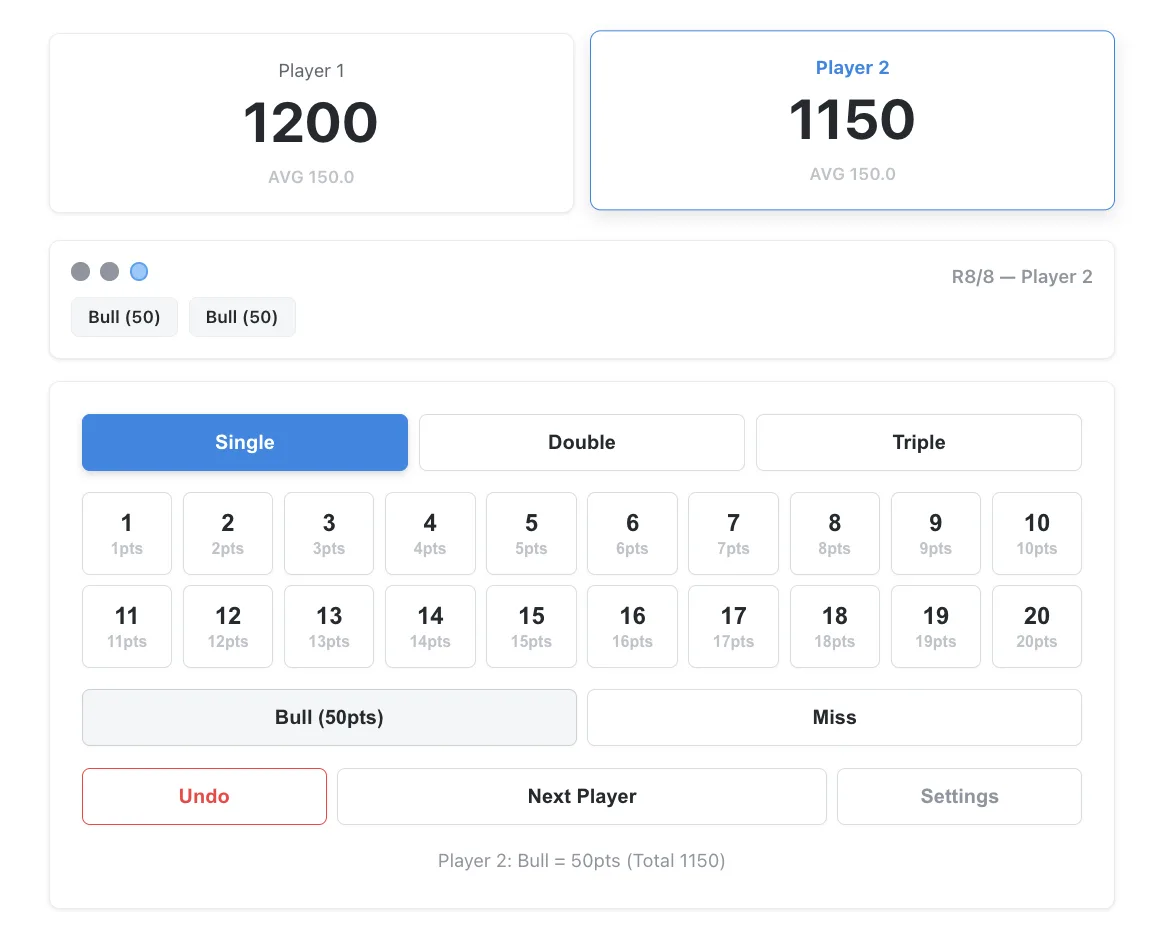
Count-Up Darts Score Calculator Screen

Following the previously released browser-based darts score calculator apps for "01" and "Cricket", we have newly added a "Count-Up" score calculator tool.

While 01 and Cricket are highly strategic and fun games, Count-Up is the best choice for basic darts practice or when playing with beginners who have just learned the rules, as it simply competes for total points. As always, no app installation or account registration is required. You can start using it immediately just by opening your browser.
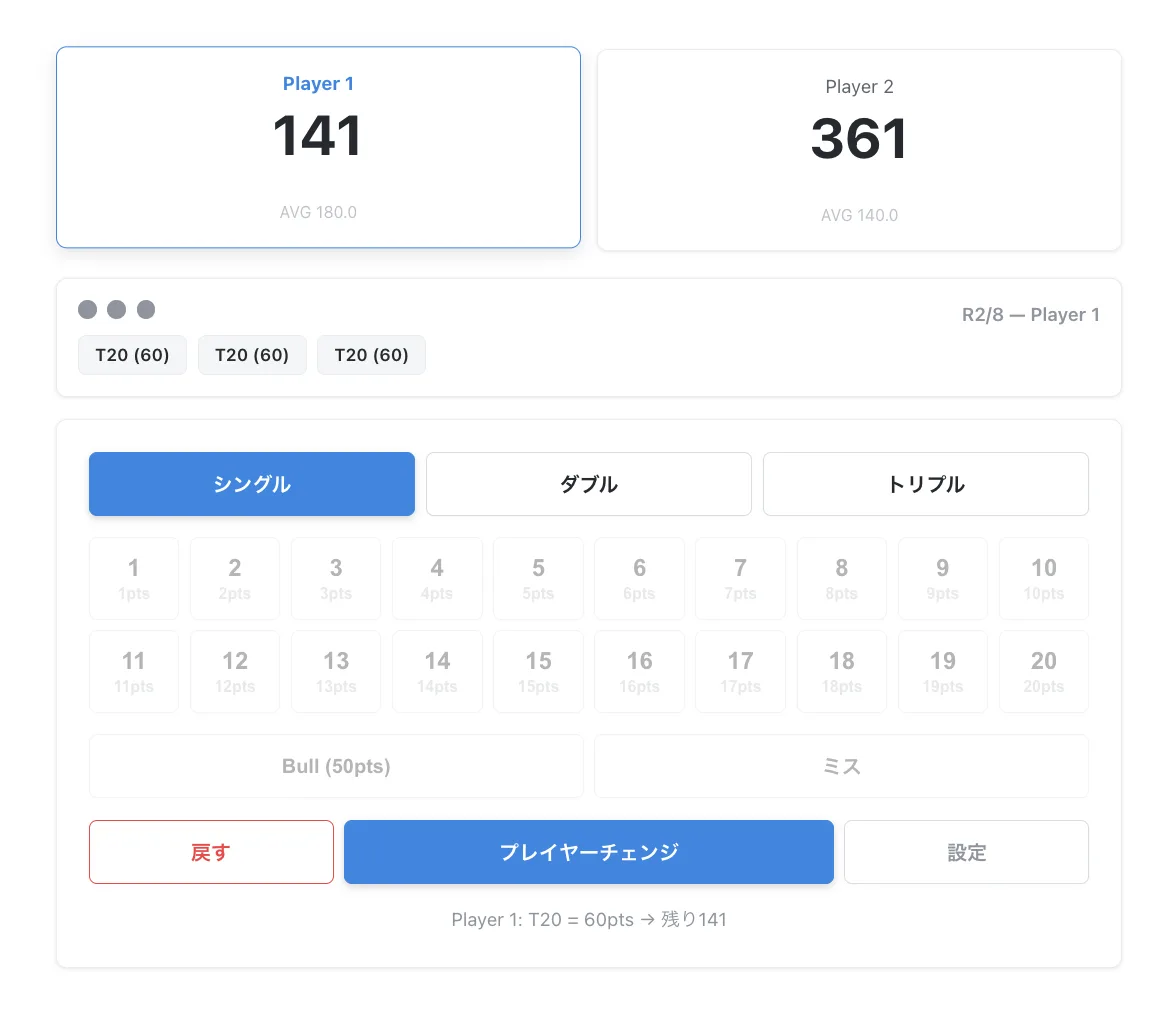
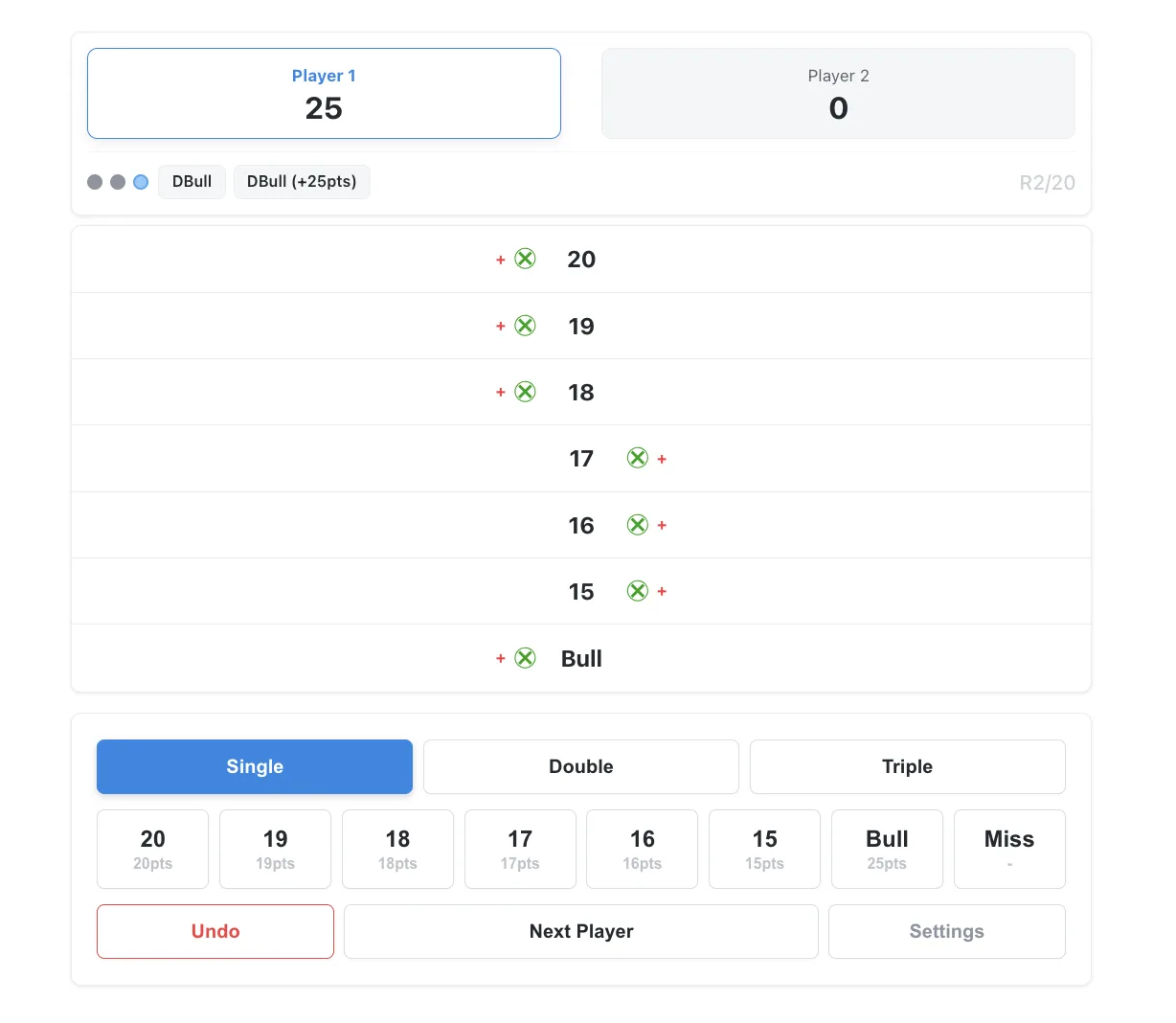
No Registration or Download Required. Released a Free Darts Calculator (01 & Cricket) Ready to Use in Your Browser.

· 4 min read
hiroaki
Individual Developer
If this site helped you, please support us with 🌟 ☕️
01 Game Darts Score Calculator ScreenCricket Darts Score Calculator Screen

I have a steel tip dartboard at home, and until now, I used to calculate scores in my head while throwing. However, when I played with friends, we needed a proper calculator. When I looked for one, I found that many required installing a smartphone app or creating an account—it was surprisingly hard to find something quick and easy to use.

So, I created a simple "Darts Calculator Web App" that requires no downloads or registration and is ready to use just by opening a browser. I've published it on my personal website. It fully supports score management for the classic 01 (Zero-One) and Cricket games.

Optimizing Decap CMS UX with config.yml and index.html Improvements

· 7 min read
hiroaki
Individual Developer

In a previous article, I explained how to integrate Decap CMS into a Docusaurus site. While the integration established a foundation for content updates, I felt there was room for improvement in daily use, especially regarding mobile usability and the efficiency of routine data entry.

This article is a record from when it was written. For the continuously maintained procedure, see the technical documentation version.

This article introduces the practical customizations I applied to static/admin/config.yml and static/admin/index.html to address these challenges.

  • Optimizing config.yml: Settings to reduce manual input and prevent errors.
  • Modifying index.html: Adding CSS and JavaScript to improve mobile usability.

These tunings have created an environment where I can comfortably update articles not only from a PC but also from a smartphone. I hope this serves as a useful example of leveraging the high customizability of a Git-based CMS.

A Record of Integrating Decap CMS with a Docusaurus Site on Cloud Run

· 9 min read
hiroaki
Individual Developer

To streamline content management for this site, I integrated the headless CMS, Decap CMS (formerly Netlify CMS). This article documents the implementation process, the technical decisions made, and the solutions to problems I encountered.

Ultimately, I settled on a slightly unusual hybrid architecture: the CMS admin panel is managed by Netlify, while the public-facing site is operated on Google Cloud Run.

  • CMS Admin Environment (Netlify)

    • URL: https://[your-site].netlify.app/admin/
    • Role: Provides the Decap CMS admin interface and handles authentication via Netlify Identity.
  • Public Site Environment (Google Cloud Run)

    • URL: https://[your-custom-domain].com/
    • Role: Hosts the static site, maintaining the existing CI/CD pipeline.

I hope this article will be helpful for anyone considering a similar setup. For subsequent operational improvements, see Optimizing the Decap CMS UX by improving config.yml and index.html.

Note that this article is a record from when it was written. For the continuously maintained procedure, see the technical documentation version.

Implementing Share Buttons in Docusaurus: A Log and Troubleshooting Guide

· 6 min read
hiroaki
Individual Developer

Implementing the Share Buttons

I've added share buttons to each article on this site for social media sharing. This post documents the implementation process and the technical decisions behind it.

A key feature of the final component is its ability to automatically fetch the page title and URL. This means that once it's set up, there's no need for special configurations on a per-article basis, which minimizes maintenance.

This article is a record from when it was written. For the continuously maintained procedure, see the technical documentation version.

Creating a Multilingual News Links Page in Docusaurus

· 5 min read
hiroaki
Individual Developer

This article outlines the key considerations and technical details involved in implementing a "News Page" on a Docusaurus site, designed to list domestic and international news sources.

This article is a record from when it was written. For the continuously maintained procedure, see the technical documentation version.

1. Page Purpose and Key Features

The primary goal was to build a personal information hub for quick access to reliable news sources. The page is built as a static site, emphasizing fast performance, usability, and maintainability.

Browser Memo Feature: A Log of URL Sharing and UX Improvements

· 4 min read
hiroaki
Individual Developer

Browser Memo Feature: A Log of URL Sharing and UI/UX Improvements

Introduction

Regarding the previously implemented Browser Memo feature.

Based on user experience and analysis of competing services, I have implemented significant feature enhancements.

This article outlines the key technical points of implementing a URL-based memo sharing feature and the UI/UX improvements made in the process.

This article is a record from when it was written. For the continuously maintained procedure, see the technical documentation version.

Related:

How to Optimize Algolia Search by Language on a Docusaurus Multi-language Site

· 7 min read
hiroaki
Individual Developer

When implementing Algolia DocSearch on a multi-language (i18n) site built with Docusaurus, I faced the challenge of search results containing mixed languages. It's common for situations to arise that harm the user experience, such as English pages appearing in search results when searching in Japanese.

This article is a record from when it was written. For the continuously maintained procedure, see the technical documentation version.

This article organizes the specific setup steps as a technical memo to solve this problem and achieve an optimal search experience that syncs with the site's display language.

Update (2026-07): An important correction to this approach

This article's claim that contextualSearch builds the index name (yoursite_ja / yoursite_en) from the current locale was incorrect. In reality, contextualSearch never changes indexName; it queries a single index and narrows results at query time with facetFilters such as language:<locale>. This site has since been consolidated into a single-index setup. See the update note in the technical documentation version for details.

What you can achieve with this article
  • Filter search results to match the site's display language (Japanese/English).
  • Automatically route content to language-specific Algolia indexes based on the URL path (/ or /en/).
  • Improve search accuracy with index settings tailored to the characteristics of each language, such as Japanese and English.

A Simple Way to Display 'Last Updated' on Docusaurus Docs Articles

· 4 min read

This post outlines a simple implementation for displaying a "Last Updated" date on our Docusaurus documentation articles to indicate the freshness of the information. Unlike the Blog folder, the Docs folder does not display creation dates by default, so we decided to add this feature. We opted for a method using Front Matter, which doesn't rely on Git history and requires no changes to our CI/CD setup.

This article is a record from when it was written. For the continuously maintained procedure, see the technical documentation version.

References:

Integrating Google Analytics (GA4) with Docusaurus

· 4 min read
hiroaki
Individual Developer

This post outlines the setup procedure for integrating Google Analytics 4 (GA4) into our Docusaurus site for traffic analysis, serving as a technical memo.

This article is a record from when it was written. For the continuously maintained procedure, see the technical documentation version.

Features:

  • Integrate Google Analytics 4 (GA4) with a Docusaurus site.
  • Enable site-wide traffic analysis.